
Top 5 Long-Battery HP Laptops for Professionals and Students
HP laptops remain a top pick when you need dependable portability and battery life that lasts through long lecture days, back-to-back meetings, or travel without hunting for outlets. In this guide, we review the Top 5 HP Laptops With Long Battery Life, showing which models deliver the best real-world endurance, which configurations to choose, and practical tips to squeeze more runtime from your machine.
Whether you want a laptop for class, an HP touchscreen laptop for note-taking, or a business-grade HP thin laptop for all-day productivity, this guide helps you pick the right HP laptops for your needs.
Quick Key Takeaways (box scannable)
Key Takeaways
- Best overall battery: HP OmniBook X14 flagship endurance for travellers and long days.
- Best business pick: HP EliteBook Ultra 14 G1i enterprise features with reliable all-day life.
- Best convertible: HP Spectre x360 14, premium design and strong mixed-use runtime.
- Best ultraportable value: HP Pavilion Aero 13, lightweight and excellent battery for students.
- Best touchscreen convertible: The HP Envy x360 is versatile, pen-ready, and has a solid battery for note-taking.
- Quick buying tip: Choose FHD (non-OLED) and efficiency CPUs for longer real-world battery life if runtime is your top priority.
Top 5 HP Laptops With Long Battery Life
1. HP OmniBook X14: The Battery King
Overview
The HP OmniBook X14 stands out as one of the strongest options for users who want unmatched endurance in a laptop without sacrificing performance. It’s designed for students, professionals, and frequent travellers who need a machine that can last through long commutes, full workdays, or hours of lectures without recharging. With its ultra-efficient chipset, lightweight build, and reliable thermals, the OmniBook X14 delivers long battery life that makes it feel like you’re carrying power for the entire day. Whether you’re streaming, writing, designing, or multitasking across apps, this model consistently delivers dependable runtime, a major reason it often tops HP Laptops lists for battery longevity.
Key Features
Long-lasting all-day battery supported by efficient Intel/ARM architecture.
Lightweight, premium chassis ideal for travelers needing reliable endurance.
Pros
- Excellent all-day battery life
- Very lightweight and ultra-portable
- Solid performance for productivity and multitasking
- Premium build quality
- Quiet, efficient thermals
Cons
- Limited high-end GPU options
- Higher price than Pavilion/Aero series
- Ports may feel minimal for power users
Tips to Maximize Battery
- Choose an FHD display instead of an OLED panel for longer runtime.
- Lower background app activity (especially cloud sync tools).
- Switch to battery-optimized mode during long classes or meetings.
- Keep brightness around 50–60% for the best balance of clarity and battery.
2. HP EliteBook Ultra 14 G1i Business All-Day Workhorse
Overview
The HP EliteBook Ultra 14 G1i is engineered for professionals who need a reliable business laptop that can endure long workdays without compromising performance. Its sleek HP thin laptop design combines portability, premium build, and enterprise-grade security features, making it ideal for frequent traveller executives and remote workers. With powerful CPUs and optimized battery management, this EliteBook provides consistent runtime for meetings, video calls, presentations, and multitasking. It also supports optional HP touchscreen functionality, offering extra flexibility for productivity apps or creative note-taking.
Key Features
- Enterprise-focused HP thin laptop with security features and an all-day battery.
- Lightweight chassis and optional touchscreen for versatile professional use.
Pros
- Excellent battery life for business users
- Premium build with sturdy chassis
- Lightweight, ideal for travel
- Security features: fingerprint, TPM, optional HP Sure View privacy
- Optional touchscreen adds workflow flexibility
Cons
- Limited gaming performance (not designed as a portable gaming laptop)
- Higher price compared to Pavilion or Envy models
- Fewer display options than the Spectre series
Tips to Maximize Battery
- Enable HP Battery Health Manager to optimize long-term battery performance.
- Use power-saving mode during travel or presentations.
- Dim screen brightness when running extended virtual meetings.
- Close unnecessary background apps (email sync, cloud drives) for maximum runtime.
3. HP Spectre x360 14 Premium Convertible with Strong Endurance
Overview
The HP Spectre x360 14 is a premium convertible laptop that blends style, performance, and long-lasting battery life. Its 2-in-1 design allows users to switch seamlessly between laptop and tablet modes, making it ideal for students, creators, and professionals who value flexibility. As an HP touchscreen laptop, it supports pen input for notes, sketches, and creative projects. Despite its sleek, thin chassis, the Spectre x360 14 maintains excellent endurance, with optimized power management and efficient Intel or AMD CPUs delivering reliable runtime across productivity, multimedia, and light creative workloads.
Key Features
- Convertible 2-in-1 HP touchscreen laptop with robust battery life.
- Lightweight, premium aluminum chassis ideal for mobile productivity and creativity.
Pros
- Strong all-day battery performance
- Flexible 2-in-1 convertible design
- Excellent build quality with premium materials
- Touchscreen and stylus support for creative workflows
- Thin and portable without sacrificing power
Cons
- Expensive compared to the Pavilion or Envy series
- Integrated GPU limits heavy gaming (not a portable gaming laptop)
- Limited ports for users needing multiple peripherals
Tips to Maximize Battery
- Use the battery saver mode for long classroom or office sessions.
- Reduce brightness during casual browsing or reading.
- Close unused browser tabs and background apps to extend runtime.
- Update BIOS and drivers regularly for optimal energy efficiency.
4. HP Pavilion Aero 13: Lightweight & Long-lasting Value
Overview
The HP Pavilion Aero 13 is a compact, ultraportable laptop designed for students and budget-conscious users who still demand strong battery life. Weighing just over 2.2 lbs, it combines a lightweight chassis with reliable endurance, making it perfect for all-day classroom use, library sessions, or café work. Despite its slim form, it delivers capable performance for web browsing, office apps, media streaming, and light content creation. With its efficient AMD or Intel processors, this HP thin laptop maximizes battery life while maintaining smooth performance, making it one of the most practical HP laptops for daily portability.
Key Features
Ultra-portable laptop with long battery life for students and everyday use.
Lightweight design with efficient processors for all-day productivity.
Pros
- Excellent battery life in a compact form
- Very lightweight and easy to carry
- Affordable for students and casual users
- Decent performance for office, study, and multimedia tasks
- Quiet and energy-efficient operation
Cons
- Limited graphics performance (not suitable as a portable gaming laptop)
- Fewer premium features than Spectre or Envy models
- Display options are limited to FHD (no OLED)
Tips to Maximize Battery
- Use power-saving mode when on campus or travelling.
- Reduce screen brightness for extended study sessions.
- Avoid running heavy applications simultaneously to conserve energy.
- Charge fully before long trips for consistent battery performance.
5. HP Envy x360 Versatile Convertible for Students & Creators
Overview
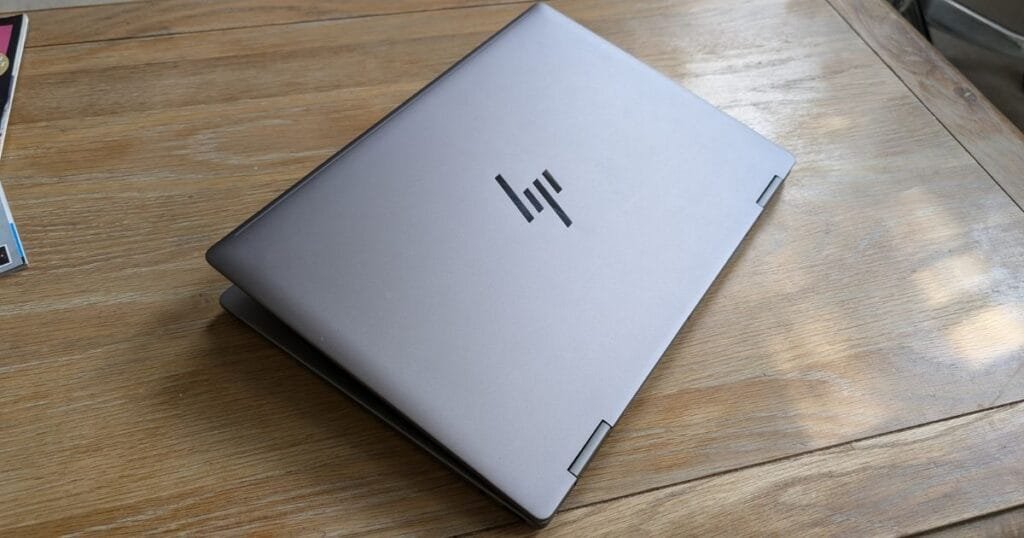
The HP Envy x360 is a versatile convertible laptop that combines portability, strong battery life, and creative flexibility. Its 2-in-1 design allows it to function as both a laptop and tablet, making it ideal for students, freelancers, and content creators. With an HP touchscreen laptop feature and stylus support, users can take notes, sketch, or edit on the go. Despite its slim build, the Envy x360 provides impressive battery endurance, handling full study days, video streaming, or creative workflows without frequent recharging. Its efficient processors and lightweight chassis make it one of the most practical and portable HP laptops for multi-purpose use.
Key Features
- Convertible HP touchscreen laptop with all-day battery performance.
- Lightweight, stylish design suitable for students and creators.
Pros
- Strong all-day battery for productivity and creative work
- 2-in-1 versatility with touchscreen and pen support
- Lightweight and portable
- Affordable compared to the premium Spectre series
- Quiet operation with energy-efficient performance
Cons
- Integrated graphics limit gaming capabilities (not a portable gaming laptop)
- Slightly thicker than Spectre models
- Fewer premium features compared to a high-end HP Laptop
Tips to Maximize Battery
- Use battery saver mode during study or creative sessions.
- Reduce screen brightness when possible.
- Close background apps not needed for current tasks.
- Keep system and drivers updated for energy efficiency.
Comparison Table: Spec & Battery Comparison
| Model | Battery Life | Weight | Display Type | Processor | Ideal Users | Price Range |
| HP OmniBook X14 | 12–18 | 2.3 lbs | FHD / OLED optional | Intel i5/i7 | Travellers, students, professionals | $$$ |
| HP EliteBook Ultra 14 G1i | 10–16 | 2.8 lbs | FHD / Touch optional | Intel i5/i7 | Business, executives | $$$$ |
| HP Spectre x360 14 | 10–14 | 2.9 lbs | FHD / OLED | Intel i5/i7/AMD Ryzen | Creators, students, professionals | $$$$ |
| HP Pavilion Aero 13 | 9–12 | 2.2 lbs | FHD | AMD Ryzen 5/7 | Students, casual users | $$ |
| HP Envy x360 | 10–12 | 2.8 lbs | FHD / Touch | AMD Ryzen 5/7 / Intel i5 | Students, creators, freelancers | $$$ |
Pros & Cons Quick Summary
Pros (Strengths Across Top HP Laptop)
- Long Battery Life: All five models deliver reliable all-day performance, ideal for students, professionals, and travellers.
- Portability: Most models are lightweight and ultra-portable laptops, making them easy to carry.
- Build Quality: Premium materials and HP’s durable design ensure reliability and longevity.
- Flexibility: Convertible models like Spectre x360 14 and Envy x360 offer touchscreen and pen support.
- Performance: Efficient CPUs handle productivity, streaming, and light creative tasks without overheating.
Cons (Limitations Across Top HP Laptop)
- Limited Gaming Capabilities: None of these models are optimized for heavy gaming; portable gaming laptop users may need dedicated GPUs.
- Price Variations: Premium models like Spectre and EliteBook are more expensive than Pavilion Aero.
- Port Options: Some thin and convertible laptops have fewer ports for power users.
- Display Limitations: OLED options are mostly on premium models, FHD is standard on budget/ultraportable models.
Who Should Buy Which Model? — Buyer Personas
| HP Laptop Model | Ideal Users | Use Case / Why It Fits |
| HP OmniBook X14 | Travellers, students, professionals | Ultra-portable laptop with best-in-class battery for full-day use and long commutes. |
| HP EliteBook Ultra 14 G1i | Business users, executives, and remote workers | Premium HP thin laptop with enterprise features, strong security, and an all-day battery. |
| HP Spectre x360 14 | Creators, students, professionals | Convertible HP touchscreen laptop for multitasking, creative projects, and long endurance. |
| HP Pavilion Aero 13 | Students, casual users | Lightweight, budget-friendly, ultra-ultra-portable laptop with solid battery life for study and everyday tasks. |
| HP Envy x360 | Students, freelancers, content creators | Versatile convertible with touchscreen and stylus support; suitable for note-taking, creative, and multi-purpose workflows. |
Real-world Battery Tips: How to Get More from Your HP Laptop

Maximizing battery life is key to getting the most from your hp gaming laptop , whether you’re a student, professional, or creator. Here are expert-tested tips to extend runtime without sacrificing performance:
1. Optimize Display Settings
- Reduce brightness to 50–60% for optimal balance between visibility and power efficiency.
- Use FHD displays over OLED for longer battery endurance when possible.
2. Manage Background Applications
- Close unnecessary apps running in the background (cloud sync, auto-update tools, browser tabs).
- Use Windows Task Manager to identify power-hungry applications.
3. Use Battery Saver & Power Modes
- Enable Battery Saver Mode or HP Power Manager for energy-efficient operation.
- Switch to Balanced or Eco Mode during presentations or long lectures.
4. Keep Software Up-to-Date
- Regularly update Windows, drivers, and BIOS to ensure optimal energy management.
- Some HP updates improve battery calibration and efficiency.
5. Avoid Extreme Temperatures
- Keep your laptop in moderate environments; extreme heat or cold can reduce battery performance.
- Use a cooling pad if running intensive tasks for long periods.
6. Limit Peripheral Usage
- Disconnect unused external devices (USB drives, external GPUs) to save power.
- Use wireless headphones instead of devices with high USB power draw when possible.
7. Charge Strategically
- Avoid constant full charges; partial charges (20–80%) can prolong battery lifespan.
- If travelling, fully charge before leaving and adjust the power mode for maximum runtime.
If you are planning to buy an HP laptop with long battery life, a good typing experience is also essential — especially if you are a student or do office work. If you want to explore budget-friendly laptops with backlit keyboards, be sure to check out our list: 10 Budget Laptops With Backlit Keyboards — you might find a useful and affordable option that fits your needs.
Conclusion
Choosing the right HP laptop with long battery life ensures you stay productive, creative, and connected throughout your day. From the ultraportable HP OmniBook X14 for travelers to the versatile HP Envy x360 for students and creators, there’s a model tailored to your needs. Premium options like the HP Spectre x360 14 and HP EliteBook Ultra 14 G1i deliver extra features and durability, while the HP Pavilion Aero 13 offers excellent value for budget-conscious users.
Investing in the right HP laptop is more than buying a device—it’s securing uninterrupted performance, portability, and reliability. By following real-world battery tips and understanding which model fits your lifestyle, you can maximize both productivity and enjoyment.
Ready to pick your perfect HP laptop? The top models compare specs and find the one that keeps you powered all day. Your ideal all-day HP companion is just a click away!
FAQs
Which HP laptop has the longest battery life?
The HP OmniBook X14 leads in battery endurance, offering 12–18 hours of real-world usage, making it ideal for students, travelers, and professionals who need all-day performance without frequent charging.
Are HP laptops good for students and portability?
Yes. Models like the HP Pavilion Aero 13 and HP Envy x360 are ultraportable laptops that balance lightweight design with long-lasting battery, perfect for classroom, library, or café use.
Can HP touchscreen laptops run creative apps efficiently?
Absolutely. The HP Spectre x360 14 and HP Envy x360 are HP touchscreen laptops that support pen input and creative workflows, delivering reliable battery life even during long design or note-taking sessions.
Are these HP laptops suitable for portable gaming?
While some models handle light games, these are not dedicated portable gaming laptops. For gaming, consider models with dedicated GPUs; for productivity and all-day use, these HP laptops excel.
0 Comments